
March marks the height of sustainability reporting season for many companies.
The sprint to finalize disclosures is rarely smooth. Data gaps surface at the last minute, cross-functional coordination gets complicated, and the pressure to deliver accurate, auditable results lands on sustainability teams already stretched thin.
This month's product update addresses some of the most common friction points sustainability teams face at this time of year, with new tools to centralize task management, lock report data for audits and disclosures, and more.
Keep Your Team on Track with Gravity Inbox
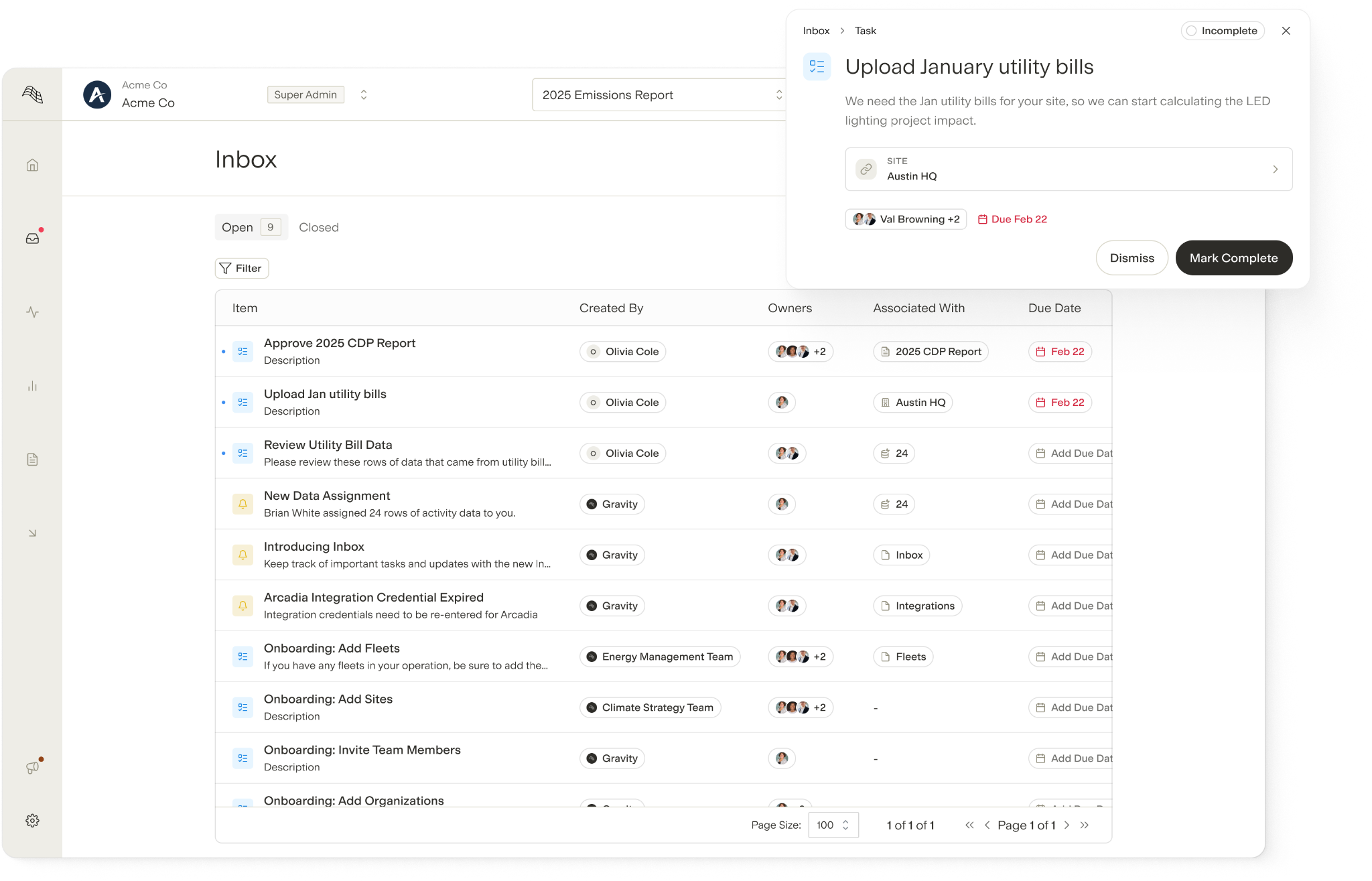
Sustainability teams track dozens of moving parts at once. Data needs to be collected and reviewed, reports need to be submitted, and decarbonization projects need to be actioned, all in partnership with other teams. Without a central place to manage these items, important work sometimes falls through the cracks. Gravity's new Inbox brings notifications, tasks, and action items together in one place so nothing gets missed:
- Create and assign tasks within Gravity, with the ability to attach tasks to specific sites, integrations, projects, or pages in the platform
- Stay informed with automated notifications for new feature releases, credential updates for integrations, and recommended energy projects
- View all notifications, tasks, and outstanding items at a glance in one place
Create Data Snapshots for Audit-Ready Reports
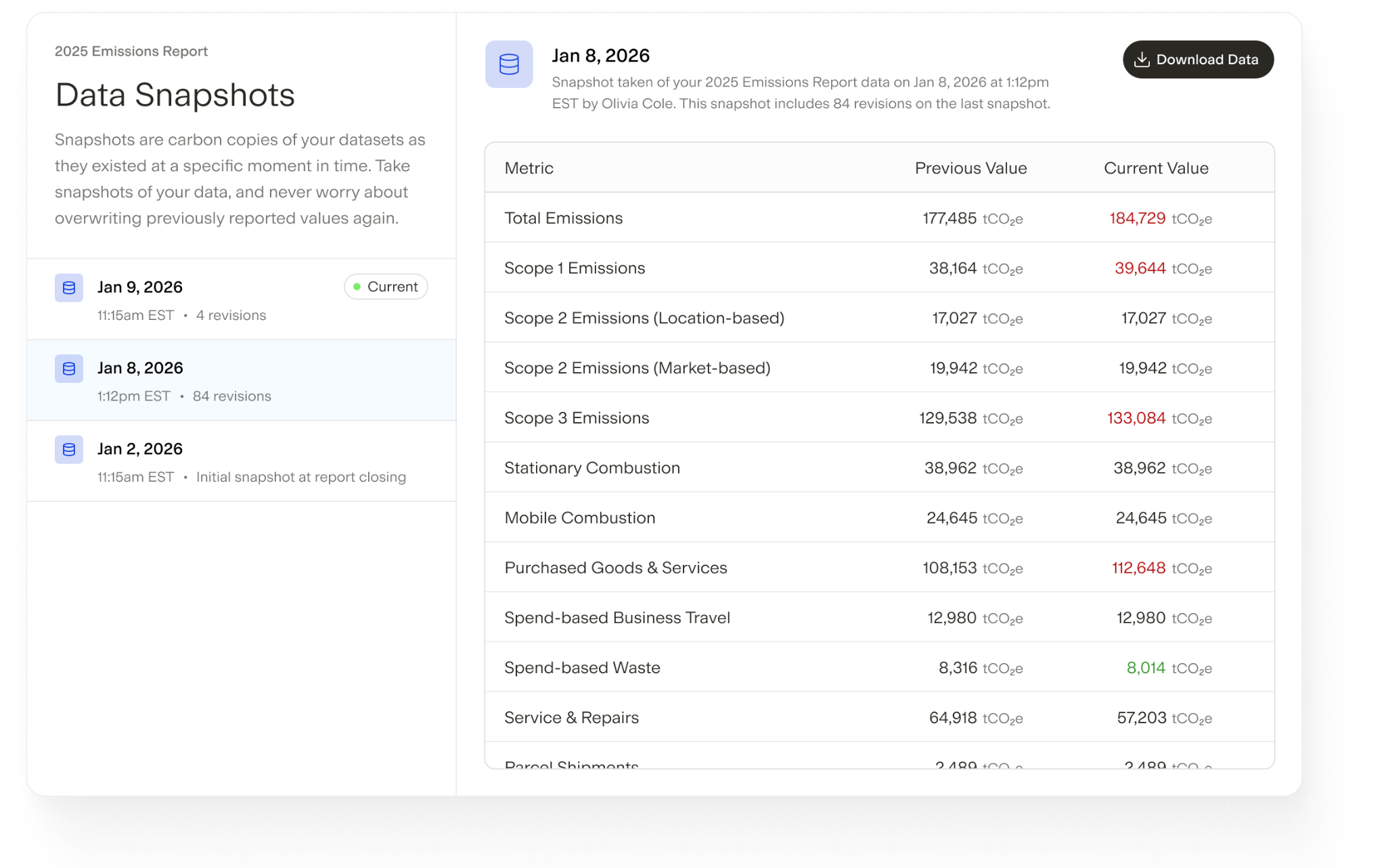
After a sustainability report is published, shifts in the underlying data can create liability in audits and undermine stakeholder confidence. Gravity's new report locking feature lets users freeze reports at a point in time, preserving a data snapshot for reviews, disclosures, and audits without preventing ongoing updates elsewhere:
- Lock any report to save a permanent snapshot of its data and emissions breakdown at the moment of locking
- Continue updating data across your instance without affecting previously locked reports
- Compare changes between snapshots to understand what shifted and why
- Review the effect of new data on a locked report before deciding whether to incorporate updates into a new snapshot
- Export locked report data for review or audit purposes
Measure Embodied Carbon in Construction with EC3 Integration
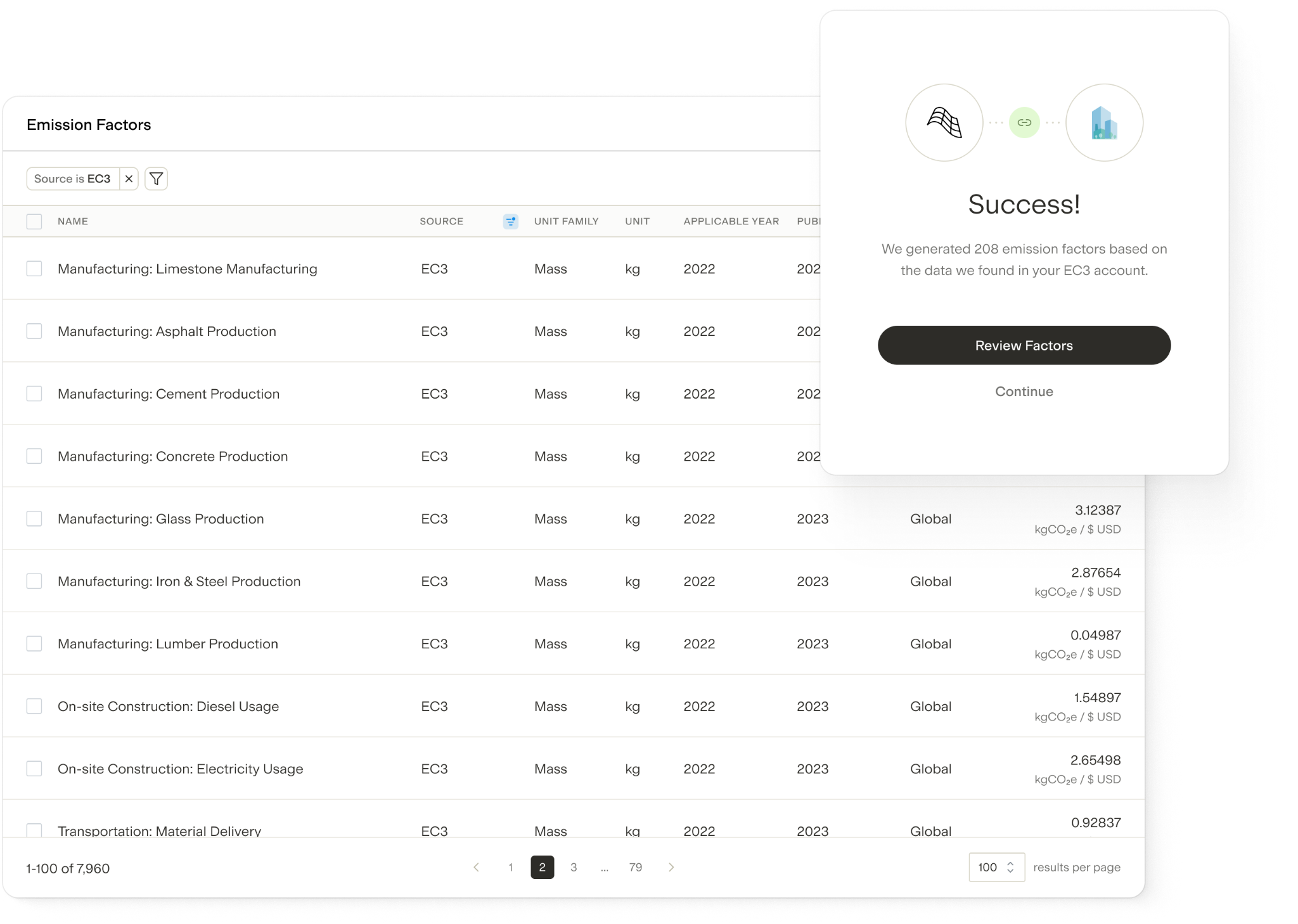
In construction, embodied carbon (i.e., emissions embedded in building materials) often represents the largest share of carbon footprints. Gravity now supports a direct integration with EC3 (Embodied Carbon in Construction Calculator), making it easy to import verified embodied carbon data directly into Gravity:
- Import embodied carbon data into Gravity by copying a link directly from EC3
- Automatically generate a custom emissions factor from the EC3 data, including name, CO₂e quantity, and region
- Review and update factors at any time as new EC3 data becomes available
What Else is New
- Automated Cost Extraction from Utility Integrations: Gravity now extracts cost data from utility integrations, including energy, water, and natural gas. This complements Gravity's cost extraction through utility bill scanning.
- Enhanced Activity Data Routing: Users can now upload a file and Gravity will automatically determine which activities the data belongs to. This is particularly useful when files contain multiple activity types.
- Streamlined FERA Emissions Calculations: Gravity has updated how FERA emissions, including Well-to-Tank (WTT) and Transmission & Distribution (T&D), are calculated to minimize data inconsistencies.
- Fleet Operational Dates: Fleets can now be configured with operational dates, similar to sites. Users are only prompted to enter data during the period a fleet is active.
- Enhanced Rule Conditions: Users now have more options when creating rules to assign emissions factors based on activity data. Rules can now be created based on exact or partial matching with activity data descriptions.
- Contact Roles: Users can now create "contact roles" to manage data request distribution, making it easy to send requests to predefined groups rather than selecting individual contacts.