
In recent years, companies have invested in reporting against an “alphabet soup” of sustainability standards. Many sustainability teams found disclosure becoming their main focus, tracking changing requirements and wrangling data to hit deadlines. This reporting push has yielded results, with tens of thousands of companies now tracking progress against climate and sustainability goals.
But sustainability reporting is also a source of frustration. Teams spend hours drafting responses to similar questions from overlapping standards, regulatory guidance changes, and software providers’ promises of automation fall short. Now, the sustainability landscape is changing. Governments are questioning the burden that sustainability reporting can impose, and executives increasingly want sustainability efforts to align with the bottom line.
As teams navigate political shifts and find new ways to demonstrate value, the tedious parts of sustainability reporting should be the last thing on their mind. To save time for the work that matters most, Gravity is launching new features that eliminate manual reporting tasks with AI, surface relevant guidance, and prepare teams for audits. With the right tools, we believe sustainability reporting can be less of a chore and even create business value.
Save Time with AI Draft Responses
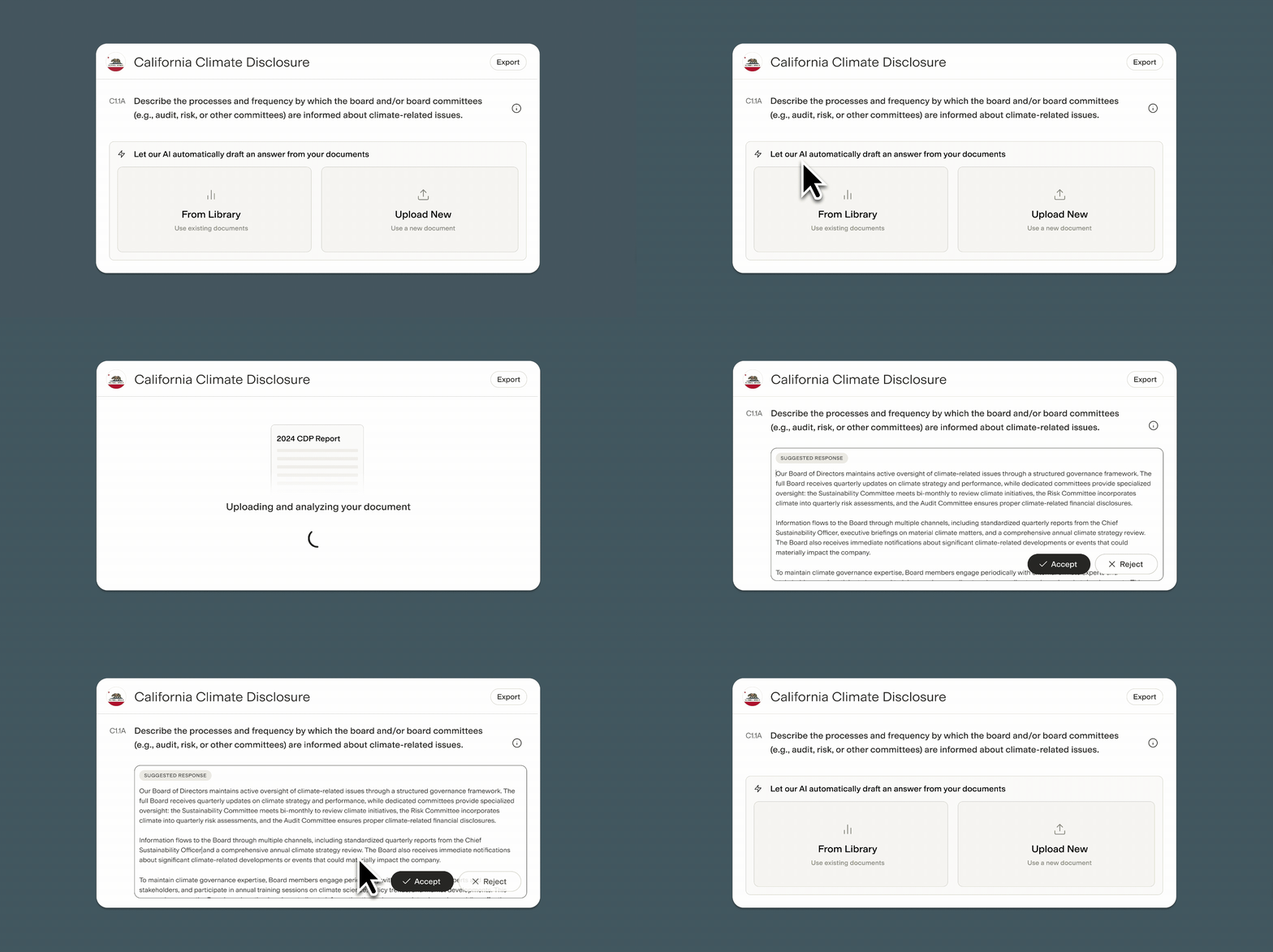
Companies often already have the answer to a sustainability reporting question on hand… somewhere. The answer might be buried deep in a document, spreadsheet, or last year’s disclosure. Maybe the team answered almost the exact same question for a different framework. Finding that answer requires either combing through documents or institutional knowledge, and the risk of inconsistent disclosures across frameworks and over time is substantial.
Gravity’s new AI features help teams quickly arrive at draft responses. Users can upload a library of documents, select relevant documents for each question, and use generative AI to create a draft response, taking into account the wording of the question. This “human-in-the-loop” approach encourages users to review and edit draft responses to ensure accuracy, and retains a record of which document(s) informed the response.
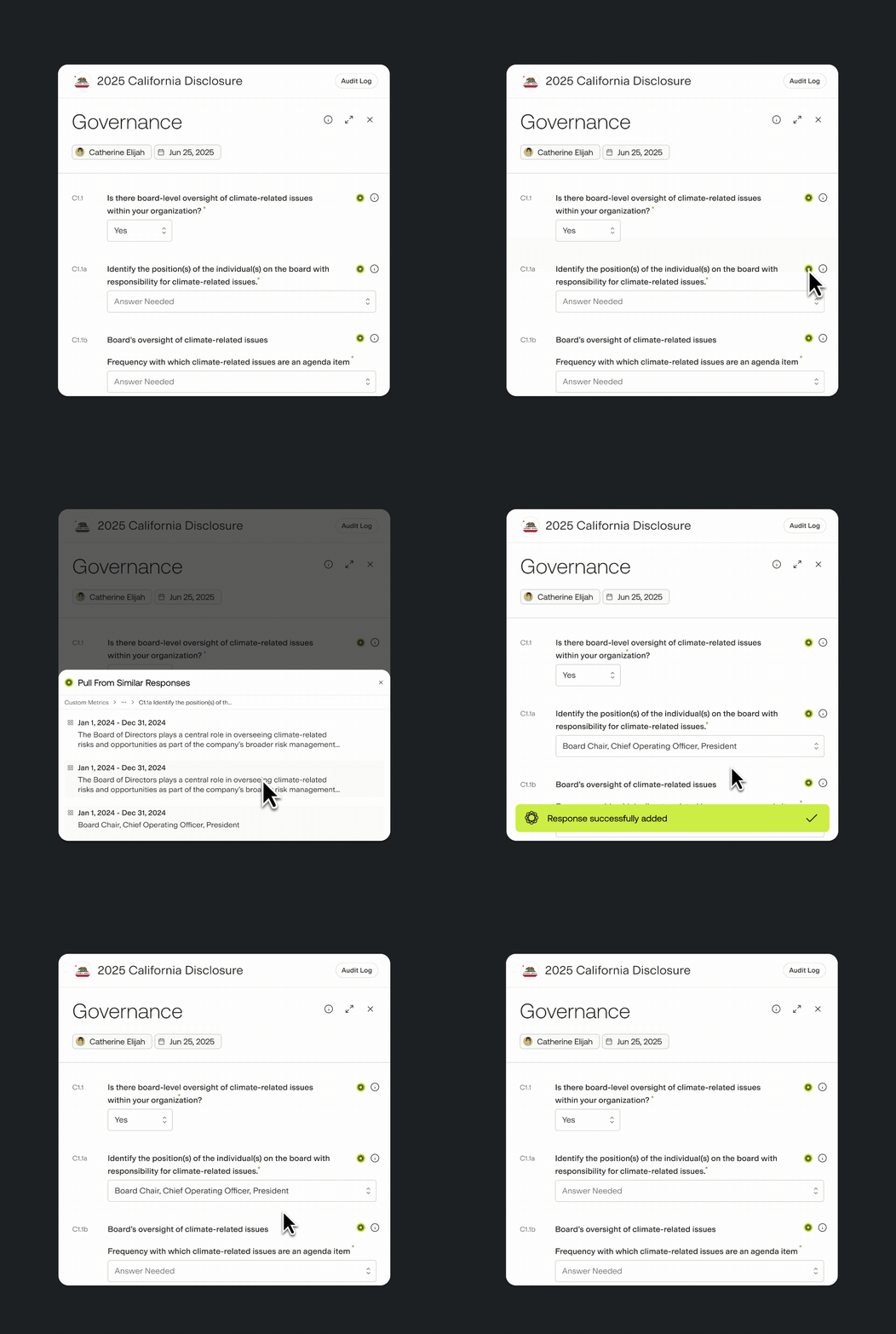
Gravity also empowers teams to repurpose answers to similar questions across frameworks. For each question, the platform identifies similar questions from other frameworks and allows users to reuse previous answers as a draft response. When reporting for California’s SB 261, for example, users can easily repurpose answers from CDP disclosure. With AI, users can also refine draft responses to match the context of each question.
Answer Confidently with Embedded Guidance

Sustainability reporting regulations are in flux, and guidelines for voluntary standards change every year. To ensure reporting satisfies the latest requirements, teams spend time and money on consultants, experts, whitepapers, and webinars to understand the latest.
Gravity’s new sustainability reporting module embeds official guidance and best practices directly in the Gravity platform for TCFD, CDP, and the CSRD, among other frameworks. For each question, users can simply click to access detailed best practices, sample answers, and source documents, curated by Gravity’s in-house policy and climate strategy teams. This guidance allows users to quickly move from draft response to final answer.
Prepare for Audits with Comprehensive Audit Logs
Sustainability reporting now often requires an audit, with California’s SB 219, the EU’s CSRD, and other standards mandating a level of assurance. To pass audits, and ensure they stay within budget, teams must not only provide the right answers but also show auditors exactly how they got there.
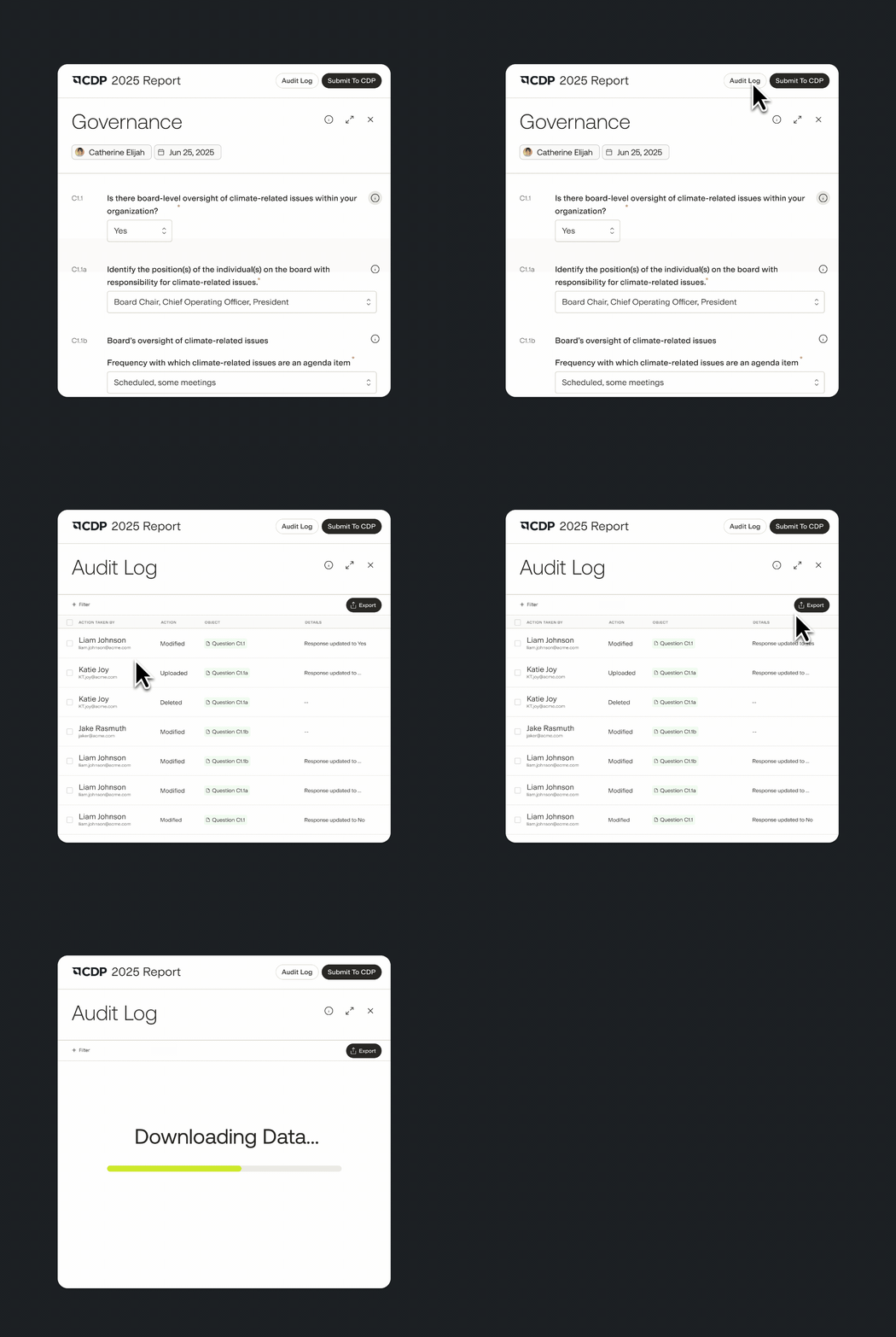
Gravity’s new audit logs for reporting provide a complete history for each question. Users can view historical changes to each response, who made the changes, and when, as well as primary data sources. Auditors have access to the same information through complimentary “view-only” access to the Gravity platform or, alternatively, users can bulk download activity logs for easy sharing. These records allow auditors to spend less time searching for source data, understanding context, or asking follow-up questions.