
Supplier data collection is essential to measuring, reporting, and reducing Scope 3 emissions. It’s also one of the hardest parts of carbon management.
Suppliers field more surveys than they can manage, resulting in low response rates and months of follow-up. Turning responses into a Scope 3 footprint is then a manual, time-intensive process. The data requested in surveys, meanwhile, is often already public information buried in sustainability reports and disclosures.
This month's update introduces Gravity’s new AI-powered supplier enrichment tools to streamline supplier data collection.
Enrich Supplier Data with Agentic AI
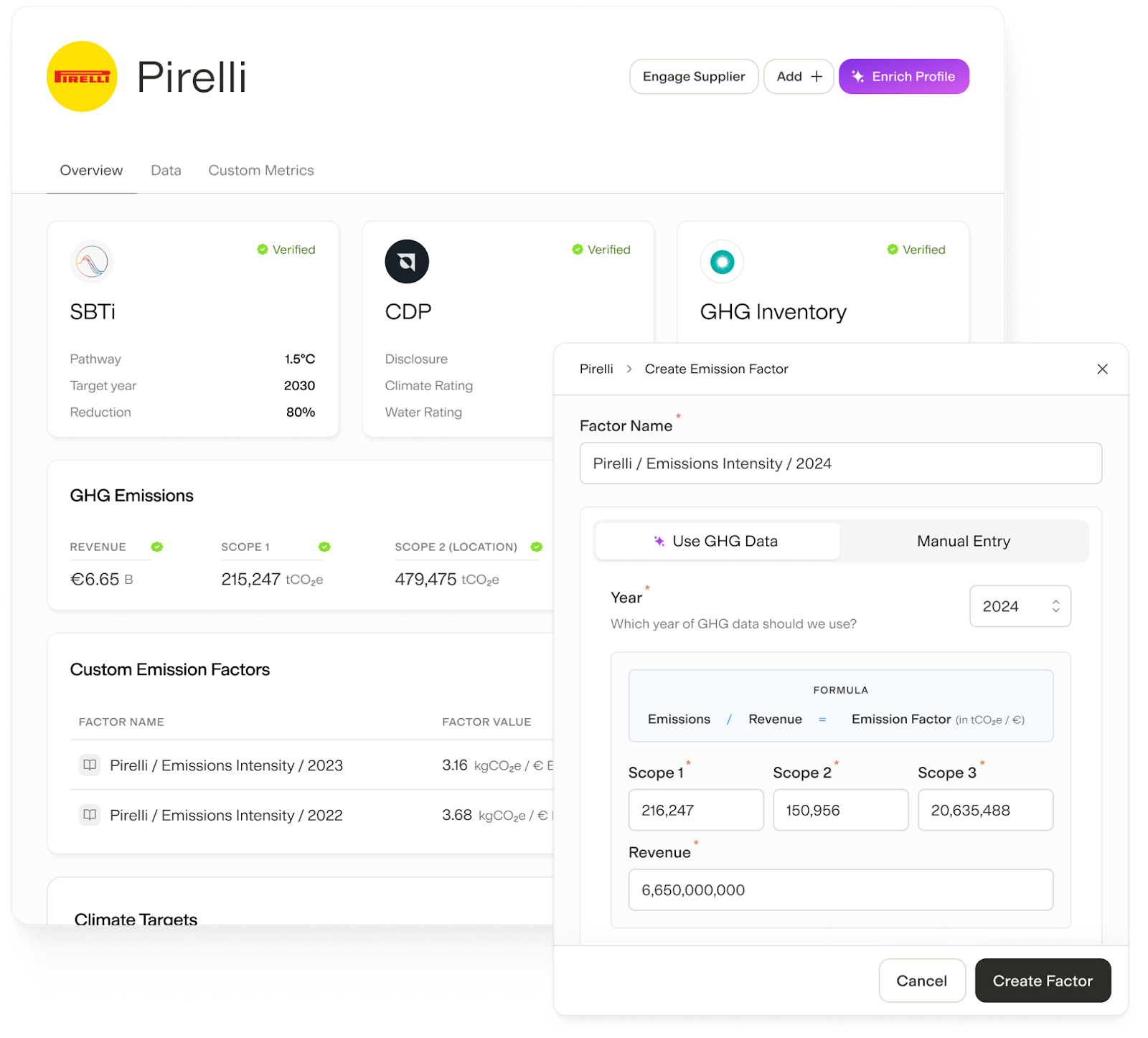
Gravity’s new Supplier Enrichment tool uses agentic AI to streamline the supplier data collection process. With a single click, Gravity scrapes publicly available information on suppliers, compiles a supplier profile, and creates custom emissions factors using the enriched data:
- Compile relevant public information on any supplier in minutes, including CDP scores, GHG inventories, SBTi commitments, climate targets, and sustainability reports
- Create custom emissions factors for each supplier based on enriched data including revenue and Scope 1, 2, and 3 emissions
- Update supplier profiles anytime to compile the latest publicly available information
Review AI-Enriched Supplier Data to Ensure Accuracy
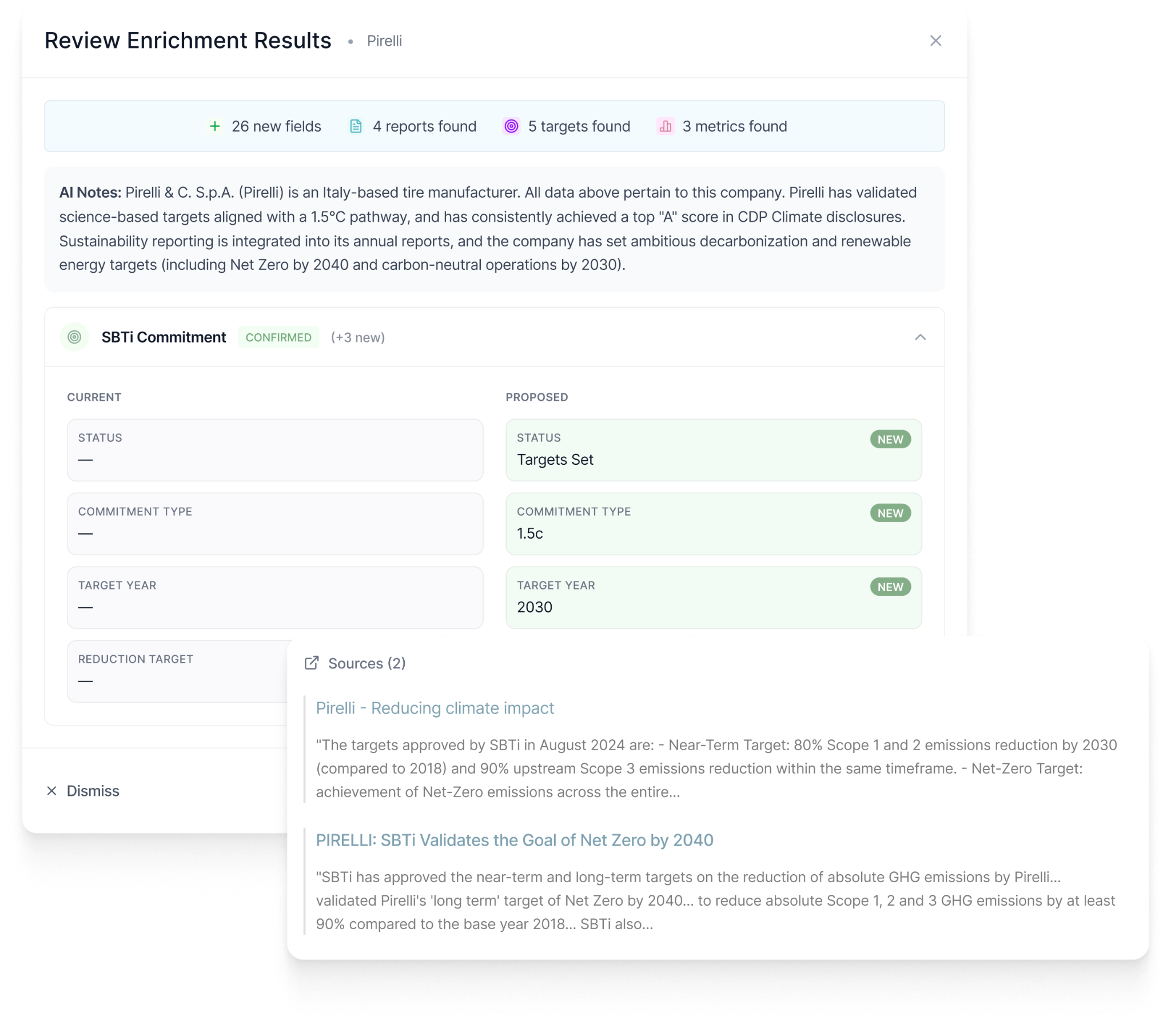
Agentic AI accelerates supplier data collection, but this can’t come at the expense of data quality. Gravity never automatically incorporates AI-enriched data or overwrites existing data, but rather surfaces proposed changes to users for human review and confirmation:
- Review each AI-enriched datapoint in a supplier profile, with the ability to check sources and edit information before accepting changes
- Compare existing data and proposed new data side by side to understand the implications of incorporating new data
- Maintain audit readiness with detailed records of all enrichment and edits
Assign Emissions Factors at Scale with Rules
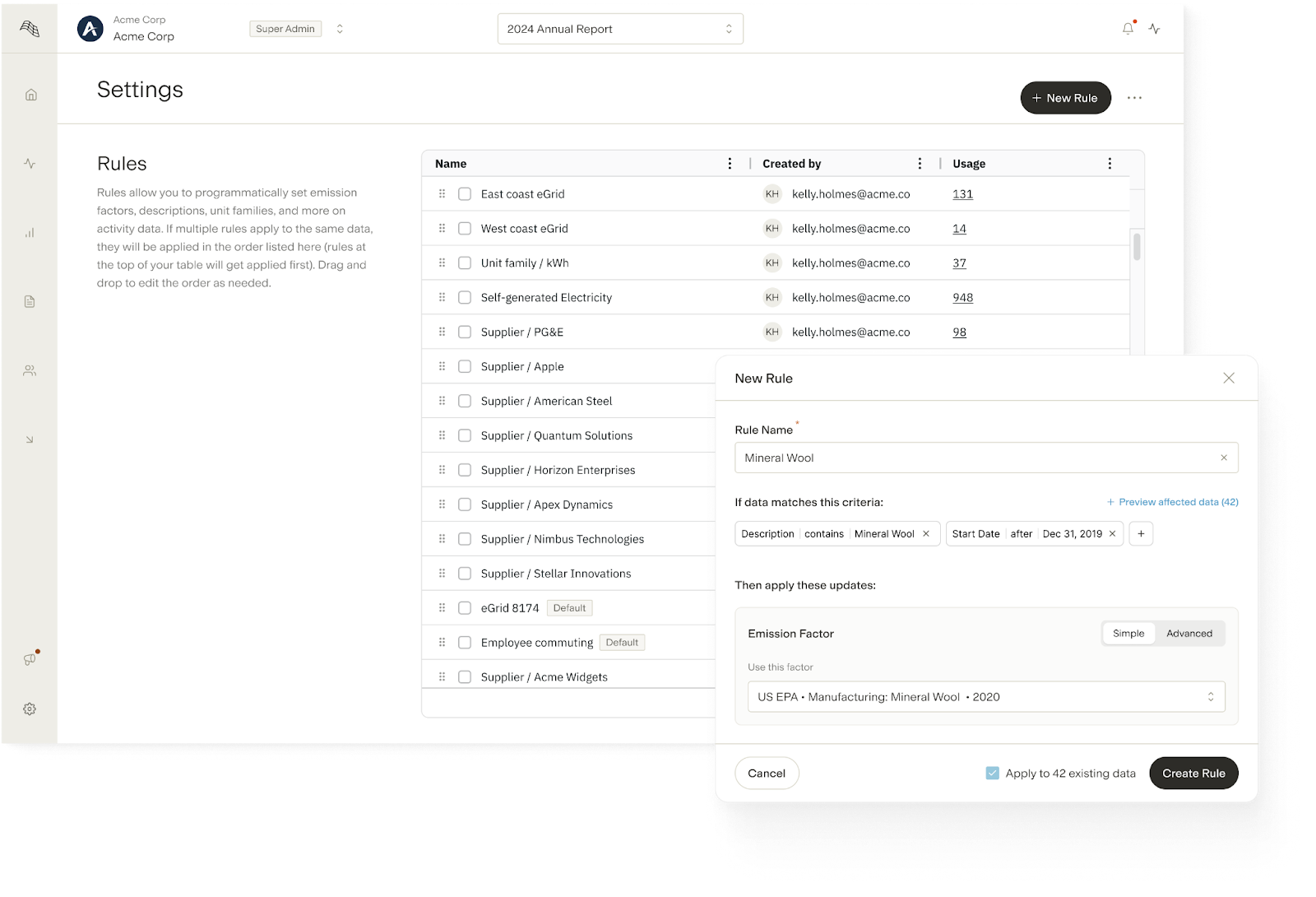
The rules governing emissions factor assignments often live in spreadsheets, and are applied manually to each new row of activity data. Gravity’s new Rules feature complements the platform’s existing emission factor automations by allowing users to configure custom rules and apply them across the inventory at scale:
- Create unlimited emission factor assignment rules that apply to all new activity data, based on data descriptions, associated sites or fleets, spend categories, and more
- Retroactively apply new rules to historical data when creating a rule
- When updating an emission factor, create a new rule based on the change that can be applied to both new and historical activity data
- View, manage, and override assignment rules in a centralized rules hierarchy for you and your auditors
What Else is New
- Recommend Gravity to Your Peers: Know someone who could benefit from Gravity? Through Gravity's new Referrals feature, you can earn rewards by sharing your unique referral link with your network.
- Infer Emissions Factors from Notes: Gravity now supports inferring emissions factors using the Notes field on activity data, unlocking more flexible factor assignment when structured data isn't available.
- Table Enhancements: Gravity continues to upgrade speed and functionality in tables throughout the platform, with enhanced filtering, grouping, sorting, and searching across Audit Logs, Files, Members, Reports, Sites, and Tags.
- Business Travel Enhancements: Gravity’s distance calculator now supports over 300 cities as inputs, with no IATA airport code required.
- More Accurate, Auditable Currency Conversion: Gravity now supports dynamic conversion factors based on the relevant month of data for improved currency conversion and inflation adjustment. Users can view the details of each calculation, with conversion supported across over 160 currencies.
- Bulk Custom Metric Imports: Gravity's new bulk import functionality for custom metrics allows users to quickly upload bespoke metric values to Gravity and map them directly to sites, fleets, suppliers, and other relevant objects, without manual data entry.
- Non-Controlling Ownership Interest: Users can now accurately calculate emissions from investment or managed real estate assets (Scope 3 Category 15) with the new Non-Controlling Ownership Interest classification for sites.
- Employee Commuting Emissions Enhancements: Users can now streamline employee commuting emissions calculations (Scope 3 Category 7) with automatic distance calculation, round trip multipliers, invalid address identification, and emissions factor assignment for point-to-point commuting data